An AI fight video generator turns a single photo of two people into a short, cinematic fight clip — punches, kicks, dodges and dramatic battle scenes, with both faces and the background kept consistent with your picture. Give your photo a boxing ring, a martial-arts dojo, a neon alley or an arcade-style showdown, then generate your own AI fight video from one photo for free. There is nothing to edit: upload one photo, pick a built-in prompt or write your own, and the model directs the action for you.
Every clip below pairs with the prompt that recreates it. Watch the punches, kicks and slow-motion impacts, copy the prompt, then hit Try it to generate your own AI fight video right on this page.
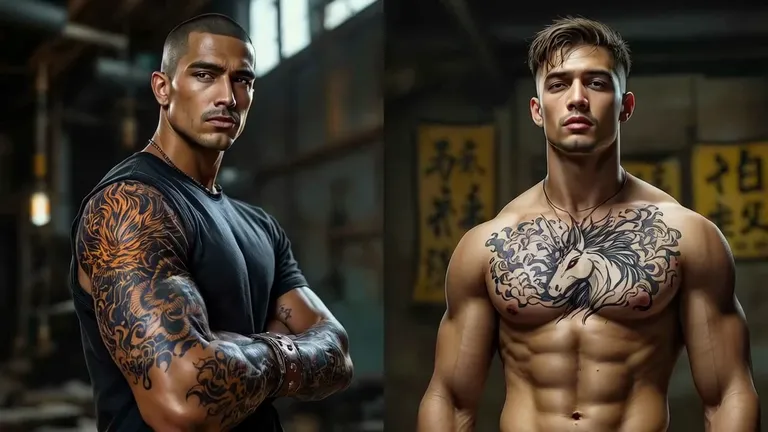
Input image
“Turn the uploaded photo — one image containing two men — into an intense martial-arts fight in an industrial gym. Keep both men's faces, hairstyles, tattoos and builds unchanged. Setting: a gritty warehouse gym with a dark background and dramatic rim light. 0-5s: the two exchange heavy punches, elbows and blocks, muscles straining, dust and sweat in the air; a wide shot then a tight close-up on the impact. Cinematic 8K action-film look.”
Input image
“Turn the uploaded photo — a single image of two young men together — into a street fight between them. Keep both men's faces, hairstyles and clothes (a blue hoodie and a white T-shirt) exactly as in the photo. Setting: a European city street with brick buildings, in daylight. The two square up, then trade fast punches, blocks and dodges, ending with a heavy hit that sends one staggering. Dynamic handheld camera, brief slow-motion impact, cinematic realism.”
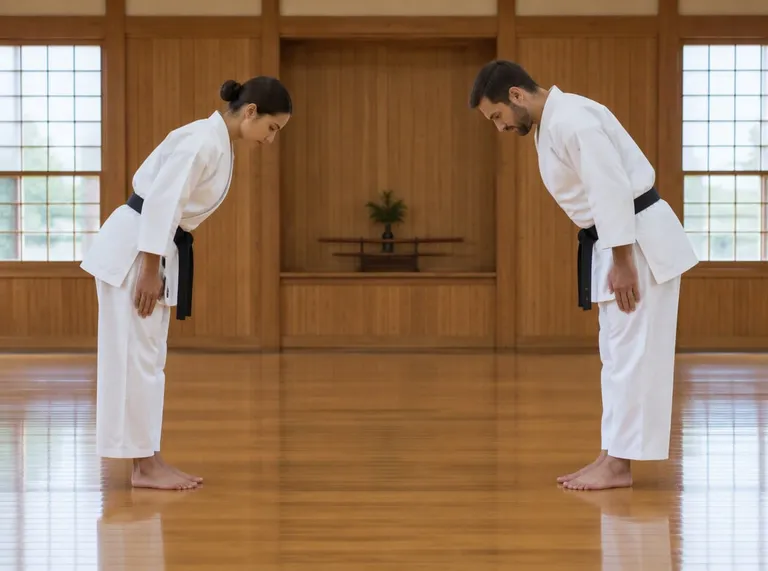
Input image
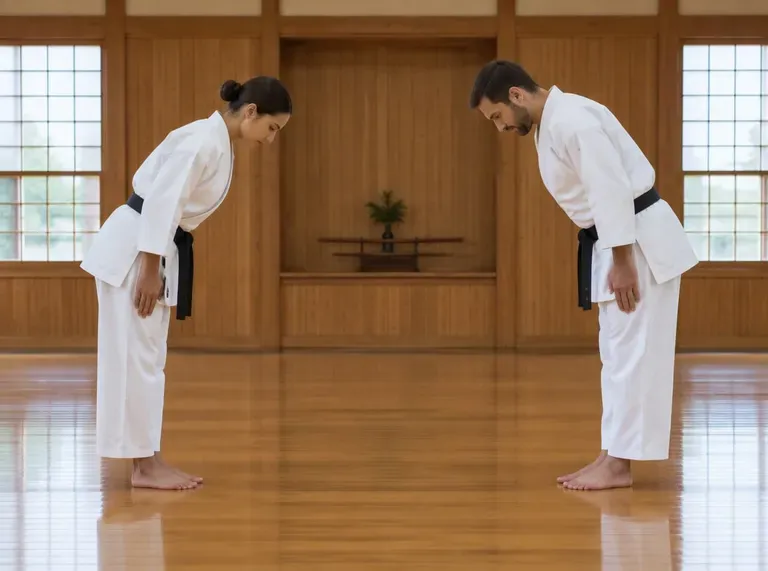
“Turn the uploaded photo — one image containing two people — into a karate duel in a traditional dojo. Keep both fighters' faces, hairstyles and bodies unchanged. Setting: a wooden dojo with shoji windows and a polished floor, soft daylight. The two bow, then trade precise strikes, sweeps and throws, with a flash of energy at impact. A wide static shot transitioning into a low-angle close-up, cinematic realism.”
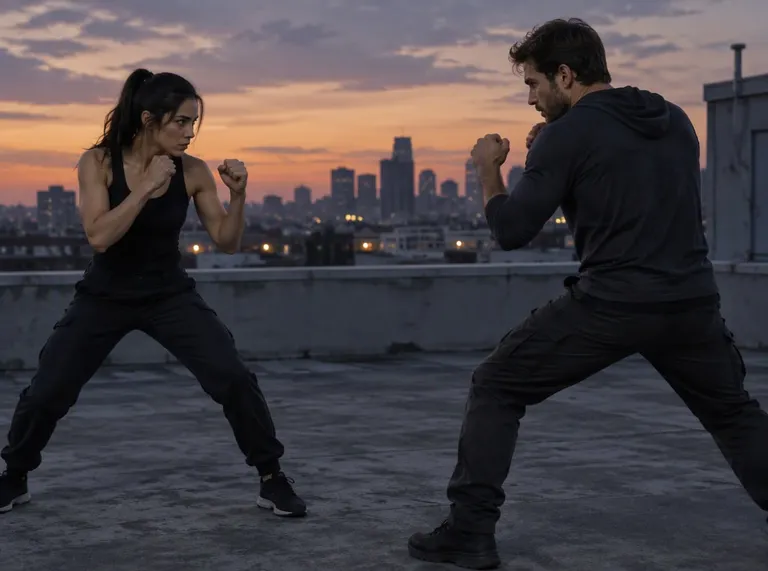
Input image
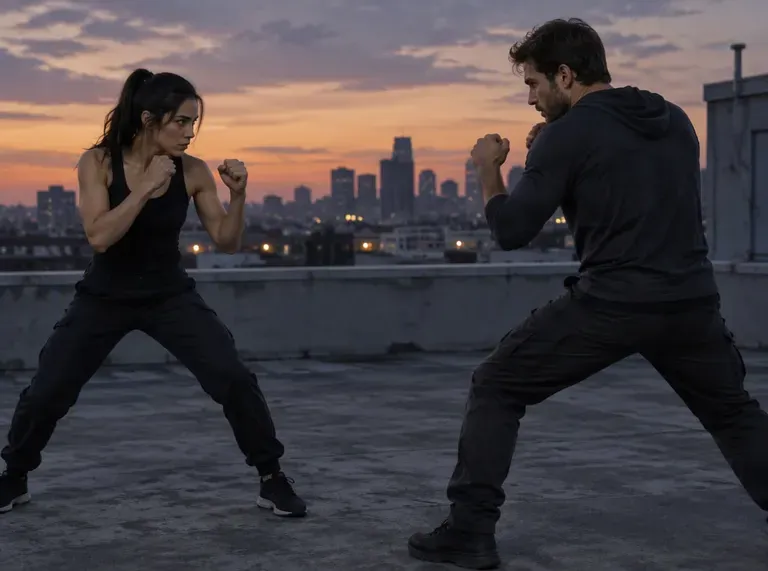
“Turn the uploaded photo — one image containing two people — into a martial-arts showdown on a rooftop at sunset. Keep both fighters' faces, hairstyles and outfits exactly as in the photo. Setting: a city rooftop at golden hour, a skyline and clouds behind, concrete floor. The two square off, throw spinning kicks and blocks, with a burst of glowing energy on each clean hit. Slow-motion impact frames, cinematic tracking camera, warm sunset backlight.”
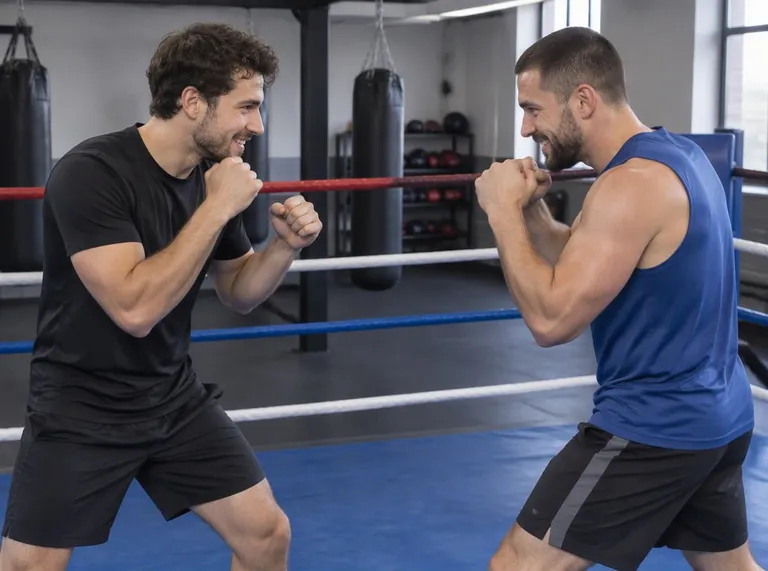
Input image
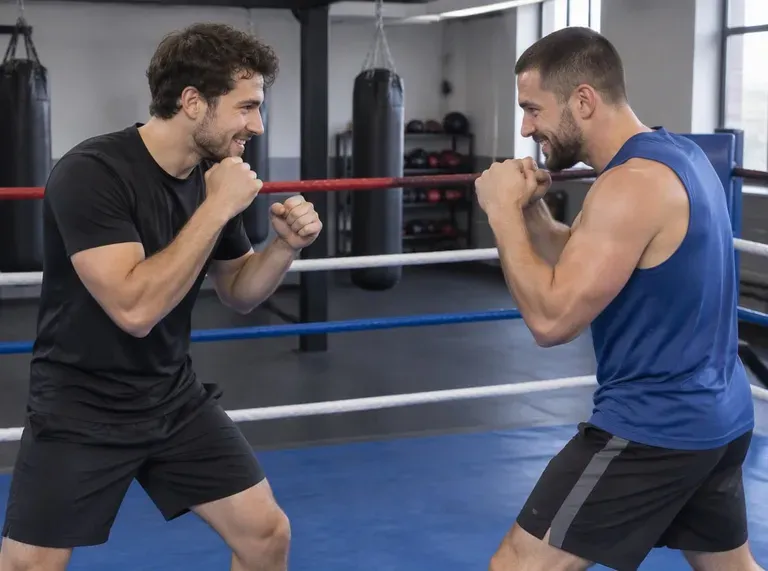
“Turn the uploaded photo — one image containing two people — into an energetic boxing sparring session in a gym. Keep both fighters' faces, hairstyles and bodies exactly as in the photo. Setting: a bright indoor boxing gym with heavy bags, a blue ring mat and large windows. The two trade quick combinations, block and clinch, with a bright impact flash on the heaviest punch. Quick punch-in camera, realistic sports-footage look.”
Input image
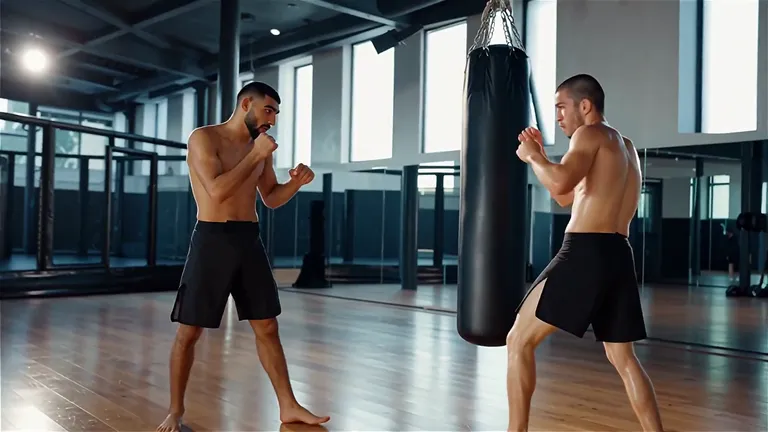
“Turn the uploaded photo — one image containing two people — into a boxing match in a modern gym. Keep both fighters' faces, hairstyles and bodies exactly as in the photo. Setting: a bright industrial gym with a long mirror wall and a heavy bag. The two raise their guard, circle, then trade rapid combinations with a clean knockout punch. Smooth tracking camera, slow motion on the decisive hit, cinematic sports look.”
Input image
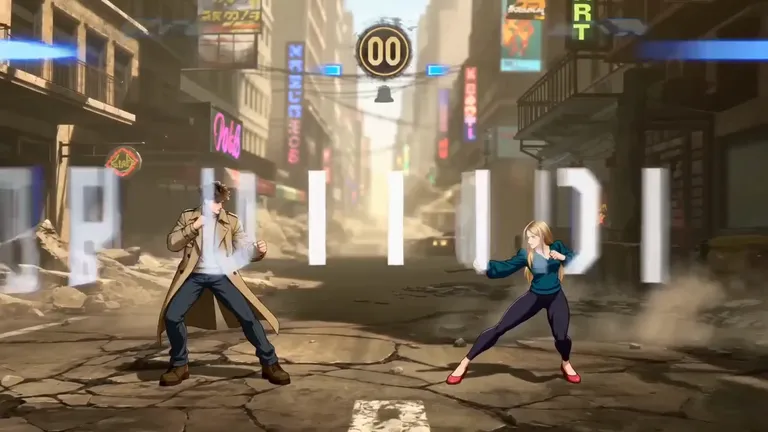
“Create a 15-second anime arcade fighting game cinematic using the person on the left in the uploaded photo and the person on the right in the uploaded photo as character references. the person on the left in the uploaded photo is Player 1 on the left side of the screen. the person on the right in the uploaded photo is Player 2 on the right side of the screen. Strictly preserve each character’s original facial identity, hairstyle silhouette, body shape, clothing, outfit colors, accessories, and overall styling from the reference images. Do not redesign their costumes. Do not change their clothes into armor, uniforms, fantasy outfits, sportswear, or superhero suits. The video should look like a side-view arcade fighting game trailer. the person on the left in the uploaded photo always stays visually associated with the left side, and the person on the right in the uploaded photo always stays visually associated with the right side.
HUD requirement: At the top of the screen, show two fighting game health bars. The left health bar belongs to the person on the left in the uploaded photo / Player 1. The right health bar belongs to the person on the right in the uploaded photo / Player 2. The health bars must match the characters’ screen positions. Add a simple round timer in the center. Keep all HUD text minimal and clean.
Scene: a dramatic ruined city street arena, cracked ground, smoke, dust, neon light, cinematic backlight, arcade-game atmosphere.
0-2s: Both characters face each other in fighting stances, the person on the left in the uploaded photo on the left and the person on the right in the uploaded photo on the right. The camera slowly pushes in, creating a ROUND ONE, FIGHT feeling. The HUD appears at the top, with the person on the left in the uploaded photo’s health bar on the left and the person on the right in the uploaded photo’s health bar on the right.
2-5s: the person on the left in the uploaded photo dashes forward from the left and performs a fast combo attack. Bright anime impact flashes, speed lines, slight camera shake. The right health bar, belonging to the person on the right in the uploaded photo, decreases slightly.
5-8s: the person on the right in the uploaded photo blocks, jumps backward, then counters with a glowing energy strike from the right side. The left health bar, belonging to the person on the left in the uploaded photo, decreases slightly.
8-11s: the person on the left in the uploaded photo and the person on the right in the uploaded photo clash in the center of the arena. A powerful slow-motion impact creates a light burst, smoke, debris, and arcade-style energy effects. Both health bars shake briefly.
11-15s: One character lands in a dramatic victory pose while the other is pushed back. Keep the person on the left in the uploaded photo and the person on the right in the uploaded photo recognizable and keep their original outfits unchanged. The camera lowers slightly, smoke and light appear behind the winner, and the video ends on a freeze frame.
Visual style: anime arcade fighting game cinematic, side-view combat, dynamic camera movement, colorful combo effects, cinematic lighting, smooth motion, high energy, polished game trailer.”
Input image
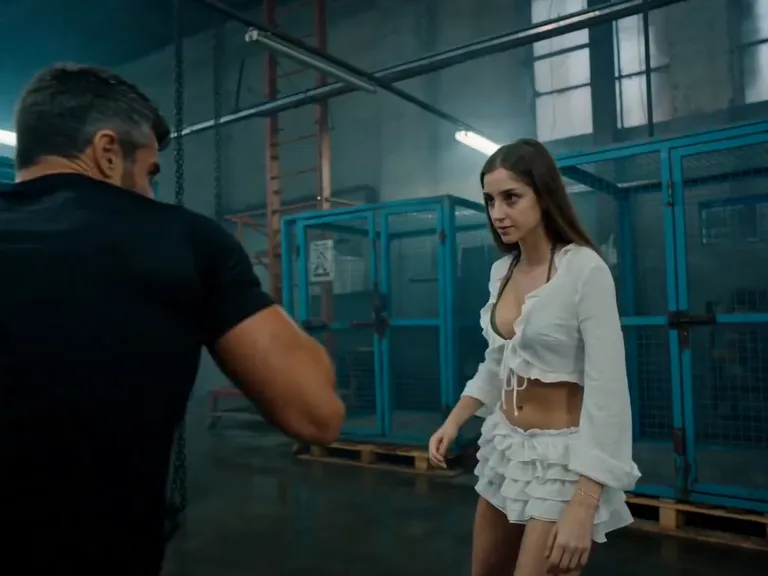
“Use the person on the left in the uploaded photo as the woman and the person on the right in the uploaded photo as the man. Strictly keep both faces, hairstyles, body types, and original clothes unchanged.
Cinematic tactical fight in a dim abandoned industrial warehouse: cyan-green wire mesh cages, scaffolding, wet concrete, smoke haze, hanging chains, harsh fluorescent lights, teal shadows, gritty handheld action style.
0-3s: The man charges and throws rapid heavy punches. The woman calmly ducks, pivots, blocks with her forearm, and lands sharp counter-punches. Close handheld camera, both faces clear.
3-6s: He grabs her arm and pushes her toward the wire cage. She traps his wrist, twists her hips, shifts his balance, cage rattling behind them.
6-9s: She executes a clean professional shoulder throw. He flips over her hip in brief slow motion and crashes onto concrete, dust bursting up.
9-12s: She follows into ground control, pins his wrist, takes dominant top-mount position. Realistic fabric tension, body weight, heavy breathing.
12-15s: She stands over him, dusty and breathing hard. Low-angle hero shot, defeated man on floor, final close-up of her cold triumphant gaze.
Hyper-realistic action film, realistic judo physics, sweat, dust, cinematic grain, fluid motion. Avoid identity change, outfit change, weapons, gore, sexualized posing, extra fighters, distorted bodies, extra limbs.”
Input image
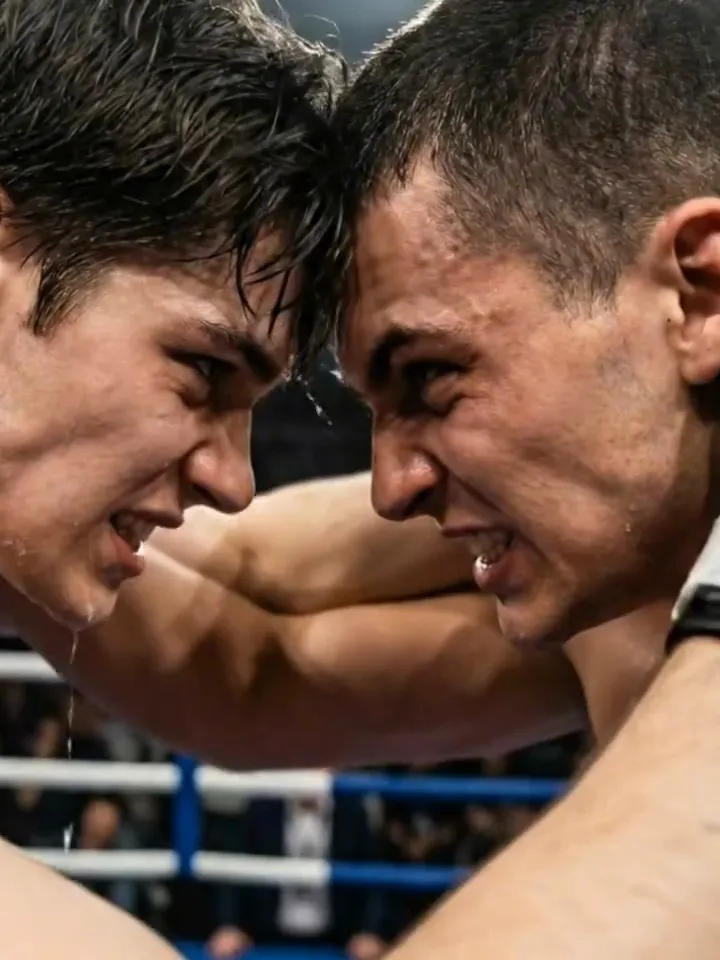
“Turn the uploaded photo — a single image containing two men — into a professional boxing match. Keep both fighters' faces, hairstyles and builds exactly as in the photo. Setting: a packed indoor boxing arena with overhead spotlights and a blurred cheering crowd. 0-3s: the two boxers circle each other in a low guard, gloves up, feet bouncing. 3-7s: fast jab-cross exchanges, slips and body shots, sweat spraying on impact. 7-10s: one lands a heavy hook; the other staggers back into the ropes, then raises his arms. Handheld sports-broadcast camera, brief slow motion on the key hits, cinematic 8K look.”
The Style
What Is an AI Fight Video Generator?
An AI fight video generator brings a still photo of two people to life as a short, cinematic fight clip. Upload one image and the model stages the action — punches, kicks, blocks, dodges and dramatic impact hits — while keeping both faces, outfits and the background consistent with your photo. The scene is set by a prompt, so your picture can become a boxing-ring showdown, a martial-arts dojo duel, a neon-lit street brawl, a sunset rooftop clash or a stylized arcade-style face-off. Camera work comes built in too: wide establishing shots, tight impact close-ups, brief slow motion and motion blur that give each clip a movie-trailer feel. The clips are short and loop-friendly, which makes them a natural fit for action edits, gaming intros and social feeds. Everything runs on a single photo of two people and a short prompt, so there is no camera, no choreography and no editing required, and every example on this page was made that way.
Fast, cinematic exchanges of punches, kicks, blocks and dodges
Brief slow motion on the heaviest hit for a movie-trailer punch
Motion blur and speed lines that sell the speed of each strike
Both fighters' faces, hairstyles and outfits kept consistent with the photo
Gritty arenas — a boxing ring, an industrial gym, a wooden dojo or a ruined street
Neon-lit alleys, smoky warehouses and sunset rooftops as dramatic backdrops
Energy flashes, dust bursts and sparks on clean hits
Handheld, sports-broadcast and tracking camera moves
Arcade-style side-view showdowns with health bars and a round timer
Community Buzz: AI Fight Videos
See how creators and studios are making AI fight scenes and battle clips across the internet.
YouTube Videos About Making AI Fight Scenes
How to Create an EPIC Fight Scene With AI (Step by Step)
A start-to-finish tutorial that builds an epic AI fight scene from reference images — designing two consistent characters and their fighting poses, then animating a continuous, multi-angle sequence in Kling. It is the fullest walkthrough of the image-to-fight-scene workflow this page is built around.
Hell Grind: Rebuilding Our Biggest Fight Scene from Scratch
Higgsfield's official breakdown of rebuilding a cinematic samurai battle scene from scratch — the opening oner, faking a thousand-strong army, the transformation and a bullet-time first strike — using Claude and Seedance inside Higgsfield. A vendor-side look at how a full fight sequence is generated, iterated and edited.
How to Make AI Fight Scenes With Higgsfield AI - Step by Step
A complete workflow for creating cinematic AI fight scenes in Higgsfield, from a simple story outline to consistent characters, a real location and chained clips that read as one continuous four-part fight. Practical for anyone who wants a connected action sequence rather than a single random clip.
How To Create Realistic AI Fight Scenes (One vs Many) | Seedance 2 + OpenArt Workflow
A one-vs-many fight-scene workflow using Claude and Seedance 2 in OpenArt, covering prompt creation, choreography design and motion reference sheets through to the finished sequence. A good guide for realistic multi-opponent combat generated from stills.
Create AI Battle Scenes That Look REAL | Step-by-Step Tutorial
A step-by-step tutorial for building cinematic AI battle scenes from start to finish — image-to-video, consistent characters and quick editing to produce a polished, fight-driven action clip. Useful for turning stills into a connected combat scene.
Ready-to-use prompts for every kind of showdown — copy one into the tool panel above or hit Use this prompt to fill it in automatically.
Boxing & Ring
Boxing Ring Showdown
“The two people from your uploaded photo square off in a packed indoor boxing arena under overhead spotlights; they circle in a low guard, then trade fast jab-cross combinations with sweat spraying on impact, one landing a heavy hook that sends the other into the ropes. Handheld broadcast camera, brief slow motion on the key hit, cinematic look, keep both faces and the background consistent.”
Gym Sparring Session
“The two people from your uploaded photo spar in a bright industrial gym with a long mirror wall and a heavy bag; they raise their guards, circle and trade rapid combinations, a clean punch landing in slow motion. Smooth tracking camera, realistic sports-footage look, keep both faces and the background consistent.”
Ring Intro Face-Off
“The two people from your uploaded photo face each other across a boxing ring as an announcer's spotlight sweeps over them; they touch gloves and drop into fighting stances, then throw quick opening jabs. Slow push-in camera, dramatic arena lighting, keep both faces and the background consistent.”
Martial Arts
Dojo Duel
“The two people from your uploaded photo bow to each other in a traditional wooden dojo with shoji windows and a polished floor, then trade precise strikes, sweeps and throws with a flash of energy at each clean hit. A wide static shot moving into a low-angle close-up, soft daylight, cinematic realism, keep both faces and the background consistent.”
Rooftop Sunset Duel
“The two people from your uploaded photo square off on a city rooftop at golden hour with a skyline behind them; they throw spinning kicks, blocks and counters, a burst of glowing energy on every clean hit. Slow-motion impact frames, cinematic tracking camera, warm sunset backlight, keep both faces and the background consistent.”
Warehouse Throwdown
“The two people from your uploaded photo fight in a dim abandoned industrial warehouse with wire-mesh cages, hanging chains and harsh fluorescent light; they trade heavy punches, a forearm block and a clean shoulder throw, dust bursting up on the landing. Gritty handheld action style, teal shadows, fluid motion, keep both faces and the background consistent.”
Street & Urban
City Street Brawl
“The two people from your uploaded photo square up on a European city street with brick buildings in daylight; they trade fast punches, blocks and dodges, ending with a heavy hit that sends one staggering. Dynamic handheld camera, brief slow-motion impact, cinematic realism, keep both faces and the background consistent.”
Neon Alley Clash
“The two people from your uploaded photo fight in a rain-soaked neon alley at night, reflections glowing on the wet ground; they exchange quick strikes and sidesteps under flickering signs. Moody neon lighting, slight camera shake, cinematic action look, keep both faces and the background consistent.”
Roof Edge Standoff
“The two people from your uploaded photo circle each other on a concrete rooftop at dusk; one lunges with a fast combo, the other ducks and counters, then both freeze in fighting stances as the wind picks up. Wide angle then tight close-up, cool evening light, keep both faces and the background consistent.”
Cinematic & Game-Style
Arcade Fighter Trailer
“The two people from your uploaded photo become fighters in a side-view arcade game arena with a ruined city street, cracked ground and neon backlight; a round timer and two health bars sit at the top of the screen as they dash in, trade combos and clash in the center with bright impact flashes and speed lines. Polished game-trailer look, dynamic camera, keep both faces and the background consistent.”
Desert Warrior Duel
“The two people from your uploaded photo face off in a sun-scorched desert as dust swirls around them; they charge, clash and spin through a fast exchange of strikes, backlit by a low orange sun. Epic wide shot moving to slow-motion impact frames, cinematic grade, keep both faces and the background consistent.”
Snowfield Showdown
“The two people from your uploaded photo fight in a snow-covered field under a pale sky; every step kicks up powder as they trade strikes and dodges, breath visible in the cold air. Steadicam tracking shot, muted winter grade, cinematic action, keep both faces and the background consistent.”
How It Works
How to Create an AI Fight Video
Turn one photo of two people into a cinematic fight clip in three simple steps — no sign-up required to get started.
1
Upload One Photo
Drop a single photo that shows both people into the upload area at the top of this page — a clear, well-lit shot where both faces are easy to see works best. One photo containing two people is all you need.
2
Pick a Prompt
Choose a built-in prompt from the prompt library above, or write your own to set the scene and the action. Describe the setting, the fighting style and the camera moves — your photo anchors both faces and the background while the prompt directs the fight.
3
Generate and Download
Hit Generate and your clip is ready in a few minutes — a short, action-packed video. Free accounts include daily generations with a small watermark; sign in to download, and a subscription removes the watermark.
Inspiration
Creative Ideas for AI Fight Videos
Not sure what to make? Match a scene and a fighting style to your photo and start from there.
Settle the Rivalry On Screen
Turn a photo of two friends into a playful showdown and drop the clip in the group chat — all in good fun, and instant meme material.
Cinematic Action Shorts
Give a still photo a movie-trailer feel with slow-motion impacts and multi-angle cuts, then post the result as a short-form action scene.
Fandom & Character Battles
Animate cosplay, avatars or fan-art characters into a stylized duel — a popular format for gaming edits and reaction posts.
Gaming & Esports Intros
Build arcade-style face-offs with health bars and a round timer to use as a stream intro or tournament thumbnail motion.
Training & Gym Promos
Turn a sparring photo into a high-energy clip that showcases a gym, a martial-arts school or a personal-training session.
Storyboard a Scene
Rough out how a fight sequence should read — the stance, the strike, the impact — before you shoot or commission the real thing.
Explore
Explore More AI Video Styles
If you like turning photos into action scenes, these neighboring AI video styles will be right up your alley.
Answers to the most common questions about AI fight videos, photo requirements and our free generator.
An AI fight video generator is a tool that turns a still photo of two people into a short, cinematic fight clip — punches, kicks, dodges and dramatic battle scenes. Upload one image and the model animates the action while keeping both faces, outfits and the background consistent with your photo. The clips are short and made for movie-style edits, gaming intros and social posts.
Try It Free
Your fight scene is one photo away. Head back up, pick a prompt, and generate your own AI fight video from a single photo of two people for free — no sign-up required.