Turn a Photo into a Cartoon Video

Cartoon yourself from one photo of an adult. The clip is a few seconds long: that person becomes a cartoon or comic version of themselves, with ordinary body proportions, and the picture starts to move. Upload the photo, describe the look, and the tool does the rest. There is no second photo to blend and no drawing to finish. People use it for a profile clip, a joke, or a post. It is one short video. It is not a still cartoon filter, not a furry character, not a Japanese anime or manga drawing, and not a big-head caricature. It is free to try.

Real Examples

Cartoon Yourself Video Examples

Every clip below starts from one photo and a prompt that redraws that person as a cartoon. Watch the drawing arrive, then copy a prompt or hit Try it to cartoon yourself on this page.

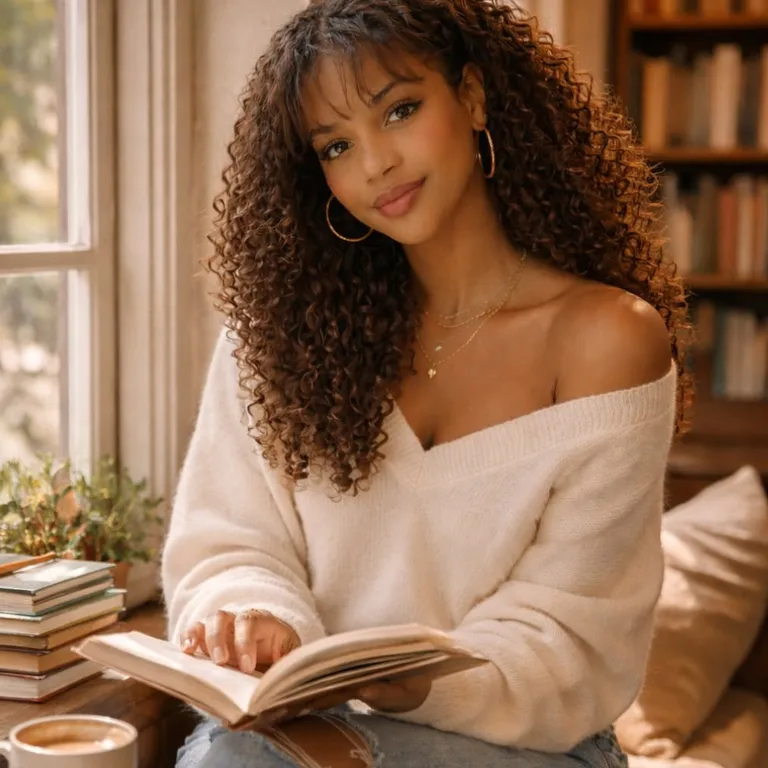
Input image used for Cartoon yourself video example 1
Input image

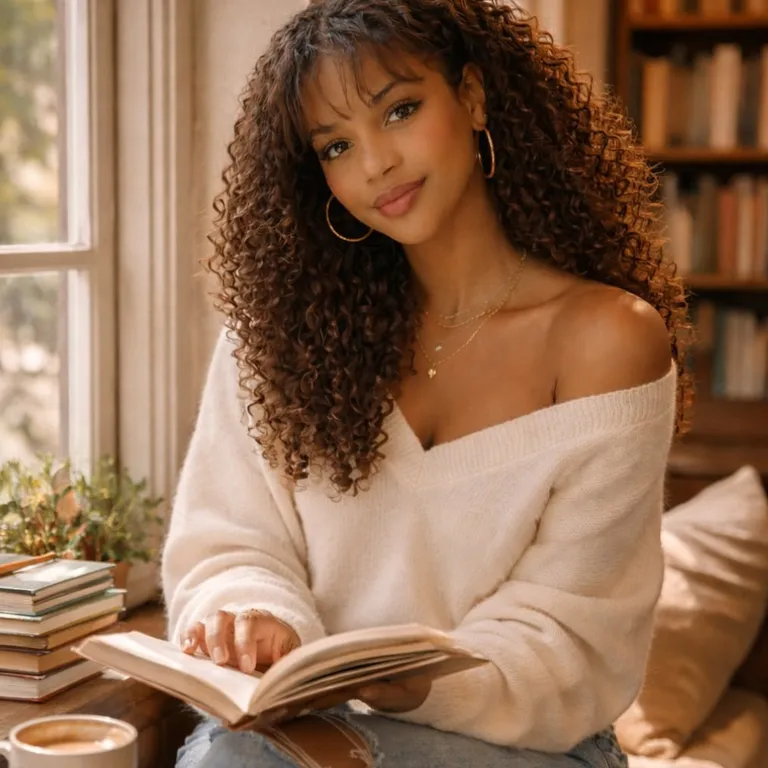
“A woman with curly hair sits by a sunlit window in a cozy library, reading a book in a cream off-shoulder sweater; she transforms into an illustrated cartoon version of herself, turns a page, then looks up and smiles as steam rises from a coffee cup, medium shot.”

Input image used for Cartoon yourself video example 2
Input image

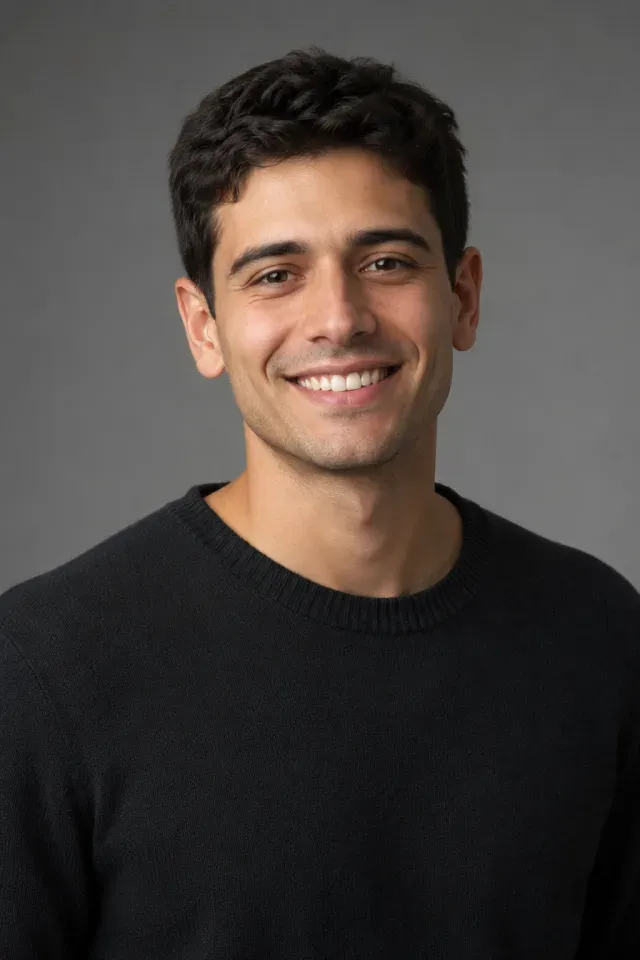
“A head-and-shoulders portrait of a smiling man in a black sweater, restyled as a 3D animated cartoon of himself, blinking and turning his head slightly against a gray studio background.”

Input image used for Cartoon yourself video example 3
Input image

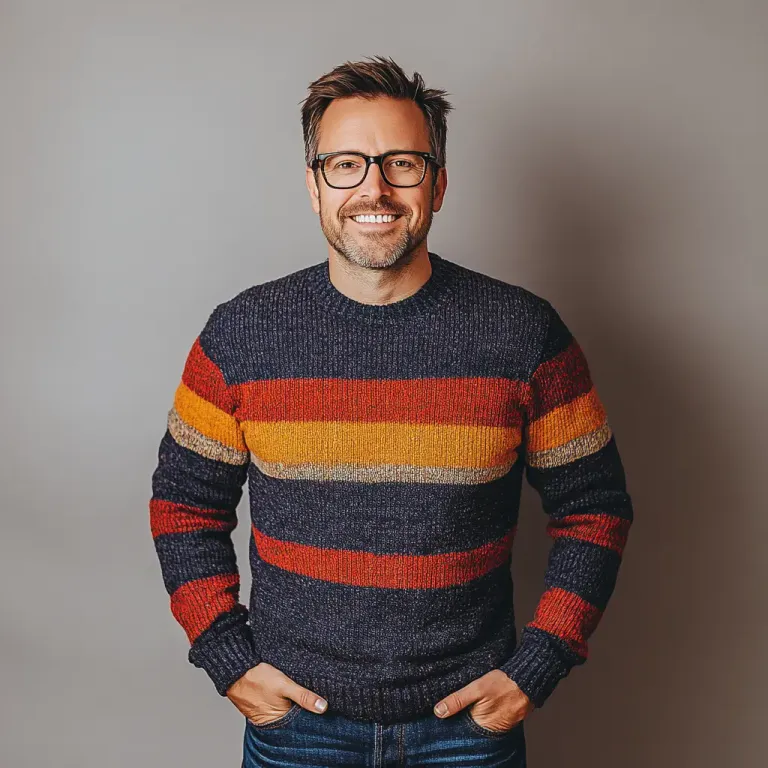
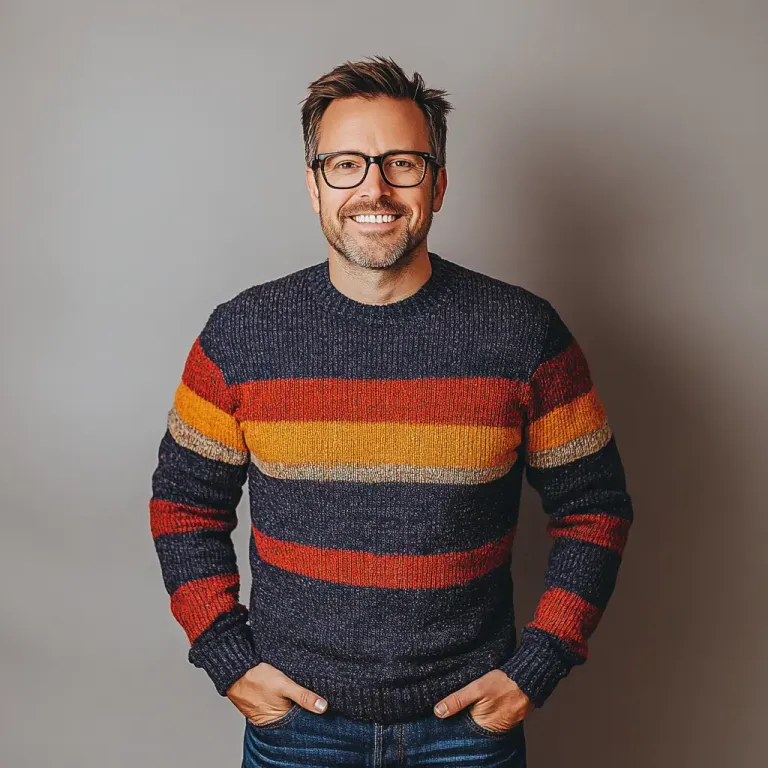
“A smiling man in glasses and a colorful striped sweater stands with his hands in his pockets against a gray backdrop; a comic-book burst then reveals a bold pop-art cartoon portrait of him on a blue and yellow sunburst background.”

Input image used for Cartoon yourself video example 4
Input image

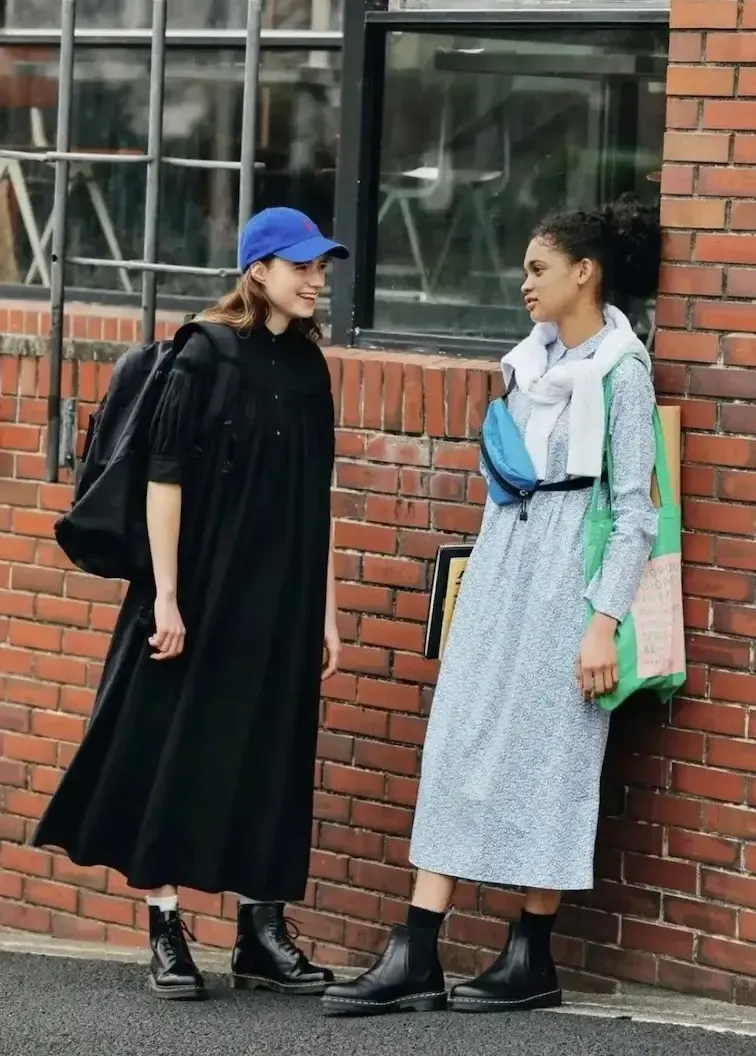
“Two young women in long dresses stand talking beside a red brick wall, then turn into simple, cute clip-art cartoon versions of themselves in a full-body shot.”

Input image used for Cartoon yourself video example 5
Input image

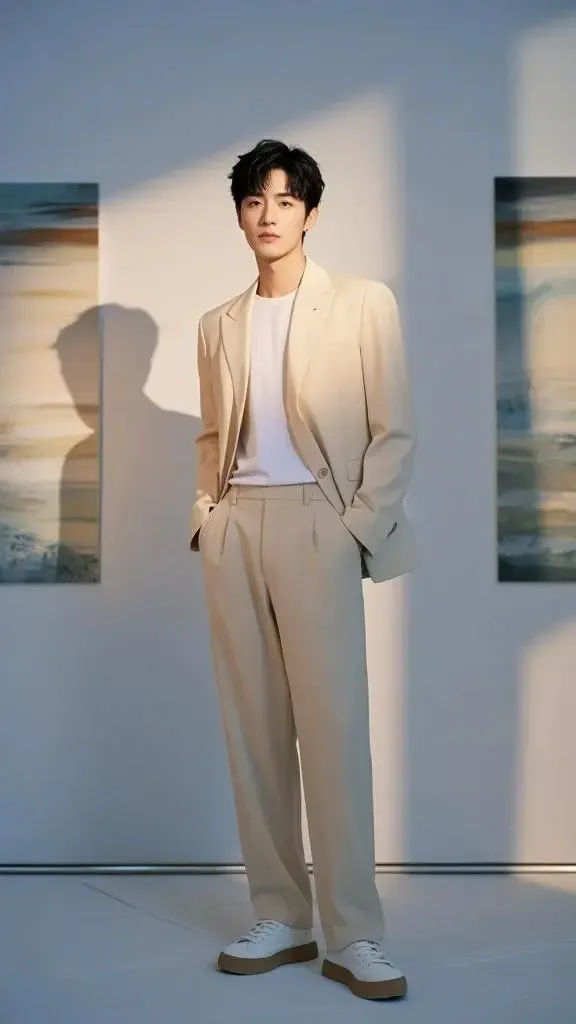
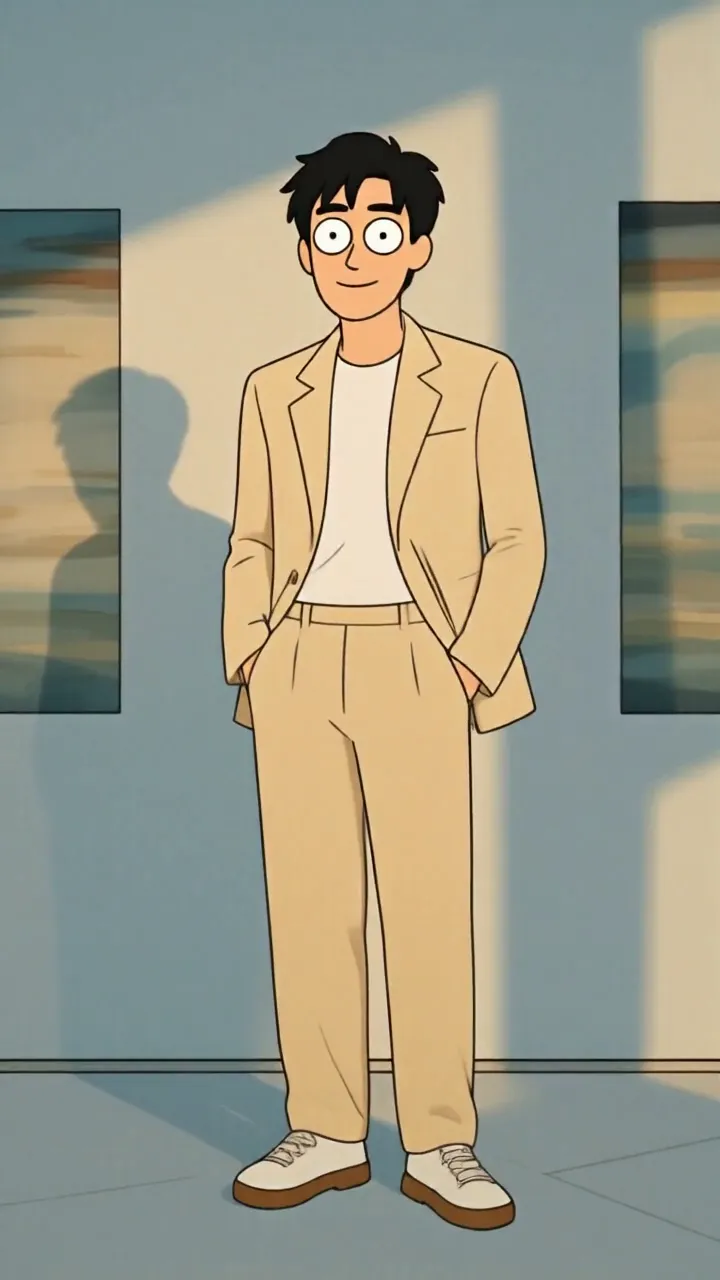
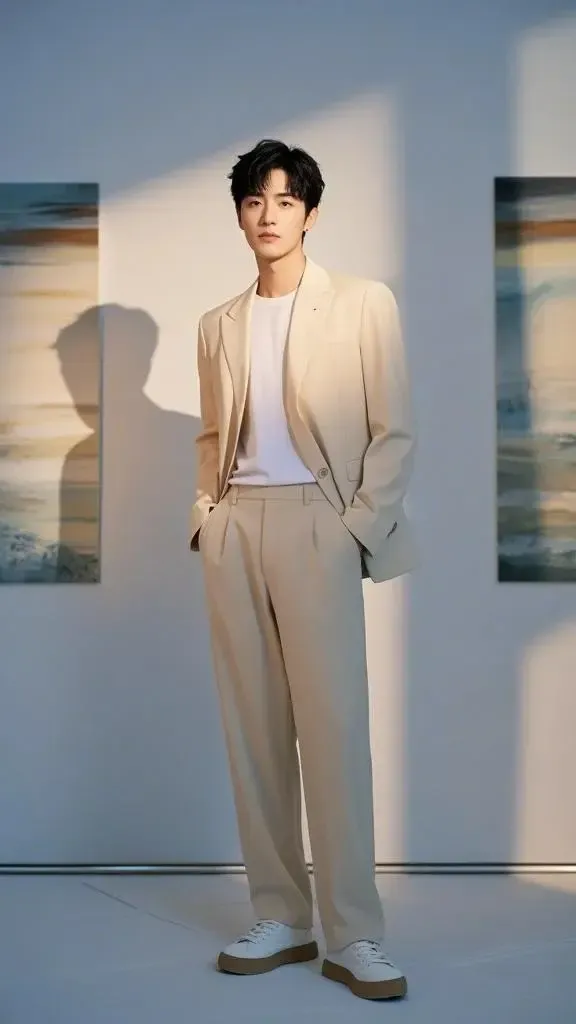
“A man in a beige suit and white sneakers stands with his hands in his pockets in a sunlit gallery, then transforms into a flat 2D cartoon version of himself with bold outlines, holding the same full-body pose.”

The Style

Turn a Photo into a Cartoon

To turn a photo into a cartoon, here, means a few seconds of the person you already photographed, redrawn and set in motion. You describe one change — flat color, comic ink, a simple illustration, a smooth 3D cartoon — and the tool is asked to keep that face recognizable, with ordinary body proportions. The clip stays short on purpose. A person who is still themselves, now drawn, is the whole effect. A furry character is a different page. A Japanese anime or manga drawing is a different request, and this page does not take it. A big-head caricature is a different request too. A still filter is what most cartoon-yourself tools return, and this page does not do that. There is no vector file, no hand-drawn commission, and no studio character to license. Every example on this page is meant to come from a single image and a single prompt.

A flat cartoon of a man in a beige suit, the end of a cartoon yourself video
A man in a beige suit standing in a gallery, the photo used to cartoon yourself
A woman reading by a window, a photo for a cartoon yourself video
A man in a striped sweater, a photo for a comic-style cartoon video
  • The same person, redrawn as a cartoon, with the face still recognizable
  • Bold outlines or flat color, like a comic or a simple illustration
  • Ordinary body proportions: the head stays the size it is in the photo
  • Clothes and pose carried over from the picture
  • A simple background, or the room from the photo redrawn in the same style
  • One short move: a blink, a smile, a small turn, or the cartoon style arriving
  • One adult, or the adults already together in that single photo
  • One continuous take, a few seconds long
  • A steady camera, so the change is the drawing and not a new scene
  • No animal features, no oversized head, and no studio logo

Cartoon Yourself Videos on YouTube

See how other creators turn a photo of a person into a cartoon clip — what they start from, and how they get from a still to a few seconds of video.

YouTube Videos About Cartooning Yourself

How to Make AI Cartoon Videos of Yourself (No Drawing)

A short English tutorial on making a cartoon video of yourself from a photo, without drawing it by hand.

Watch on YouTube

How To Make AI Cartoon Animation Videos of Yourself

An English walkthrough that turns a person into a short cartoon animation.

Watch on YouTube

How to create a cartoon style from a photo in ChatGPT

An English tutorial that starts from a photo and asks for a cartoon style of that person.

Watch on YouTube

How To Turn Photo Into Cartoon In Canva (Step By Step)

An English step-by-step that turns a photo into a cartoon.

Watch on YouTube

Prompt Library

Turn Yourself into a Cartoon

Ready-to-use prompts for a flat cartoon, a comic panel, a soft illustration, and one small move. Copy one into the tool above, or hit Use this prompt to fill it in.

Flat Cartoon

Bold Outlines, Same Pose

“The person in the uploaded photo becomes a flat 2D cartoon of themselves, with bold outlines and flat color. Same pose, same clothes, ordinary body proportions. Locked-off camera, one continuous take, no text, no logos, no extra person.”

Full-Body Cartoon

“The person in the uploaded photo becomes a full-body cartoon of themselves. Head, hands, and legs stay in ordinary proportion. The background simplifies into flat shapes. Locked-off camera, one continuous take, no text, no logos, no extra person.”

Simple Clip-Art Look

“The people in the uploaded photo become simple, cute clip-art illustrations of themselves. Flat color, clean shapes, ordinary proportions, not a big head. Locked-off camera, one continuous take, no text, no logos.”

Comic Look

A Single Comic Panel

“The person in the uploaded photo becomes a Western comic-panel drawing of themselves. Ink outlines, printed color, ordinary proportions. Locked-off camera, one continuous take, no words on the image, no logos, no extra person.”

Pop-Art Portrait

“The person in the uploaded photo becomes a pop-art cartoon portrait of themselves on a simple burst background. Same face, ordinary proportions, bold color. Locked-off camera, one continuous take, no words on the image, no logos, no extra person.”

Color Holds, Line Arrives

“The photo stays still while a comic ink line draws itself over the person, then flat color fills in. The person is still recognizable. Ordinary proportions. Locked-off camera, one continuous take, no text, no logos, no extra person.”

Soft Illustration

Storybook Illustration

“The person in the uploaded photo becomes a soft illustrated cartoon of themselves, like a picture-book drawing. Same clothes, ordinary proportions, gentle color. Locked-off camera, one continuous take, no text, no logos, no extra person.”

Window Light, Drawn

“The person in the uploaded photo becomes an illustrated cartoon of themselves in the same seat and the same light. They look up and smile once. Ordinary proportions. Locked-off camera, one continuous take, no text, no logos, no extra person.”

Smooth 3D Cartoon

“The person in the uploaded photo becomes a smooth 3D cartoon of themselves, with ordinary proportions and the same clothes. Not a toy, not an animal. Locked-off camera, one continuous take, no text, no logos, no extra person.”

One Small Move

A Blink in the New Style

“The person in the uploaded photo is already a cartoon of themselves. They blink once and settle. Ordinary proportions, same background. Locked-off camera, one continuous take, no text, no logos, no extra person.”

A Small Turn of the Head

“The person in the uploaded photo becomes a cartoon of themselves and turns their head a few degrees, then holds. Ordinary proportions. Locked-off camera, one continuous take, no text, no logos, no extra person.”

The Style Lands

“The person in the uploaded photo starts as the photograph and becomes a cartoon of themselves by the end of the clip. Same pose, ordinary proportions. Locked-off camera, one continuous take, no text, no logos, no extra person.”

How It Works

How to Cartoon Yourself

Turn one photo into a short cartoon video in three steps — no sign-up required to start.

1

Upload One Adult Photo

Drop a single image into the upload area at the top of this page. A face-on or slightly turned shot works best, with the face easy to see and the light fairly even. Use a photo you have the right to animate. The person in it should be an adult.

2

Describe the Cartoon

Pick a prompt above or write your own. Ask for the person already in the photo to become a cartoon or comic version of themselves, with ordinary proportions. One change is enough. Skip studio names, famous characters, animal features, and a bigger head.

3

Generate and Download

Hit Generate. The clip comes back in a few minutes — a few seconds of that person as a cartoon. Free accounts include a small watermark. Sign in to download, and a subscription removes the watermark.

Inspiration

AI Cartoon Filter Ideas

The same request people type into a still cartoon filter, returned here as a few seconds of video. One photo in. One clip out.

A Profile Clip

Use a clear head-and-shoulders photo and ask for a blink. The clip is short enough for a profile or a story, and the face is still yours.

A Comic Portrait

Ask for ink outlines and flat printed color. It reads as one comic panel of you, then a small move, not a whole strip.

Two People, One Photo

Start from a photo that already shows two adults. Ask for both of them to become the same kind of cartoon. Do not add a person who was not in the picture.

A Smooth 3D Look

Ask for a rounded 3D cartoon of the same person, with ordinary proportions. It is a style of drawing. It is not a character from any studio.

Photo Next to the Clip

Post the original photo beside the video. The face matches. The second frame is the drawing. That contrast is the point of the page.

FAQs

Answers to the usual questions about a cartoon yourself video, the photo it needs, and what this page will not draw.

A few seconds of video made from one photo of an adult, where that person becomes a cartoon or comic version of themselves. You upload one image, describe the look, and the clip comes back as video. It is not a still image you download and post as a filter.

Try It Free

Your photo is one prompt away from a short cartoon clip. Head back up, pick the drawing style, and try it for free — no sign-up required.